Hi folks, I’m unable to boot newer kernels. The only kernel I’m able to boot is the calculate-sources-6.11.9 . Every other kernels I have installed - and they are available on grub list - cannot boot.
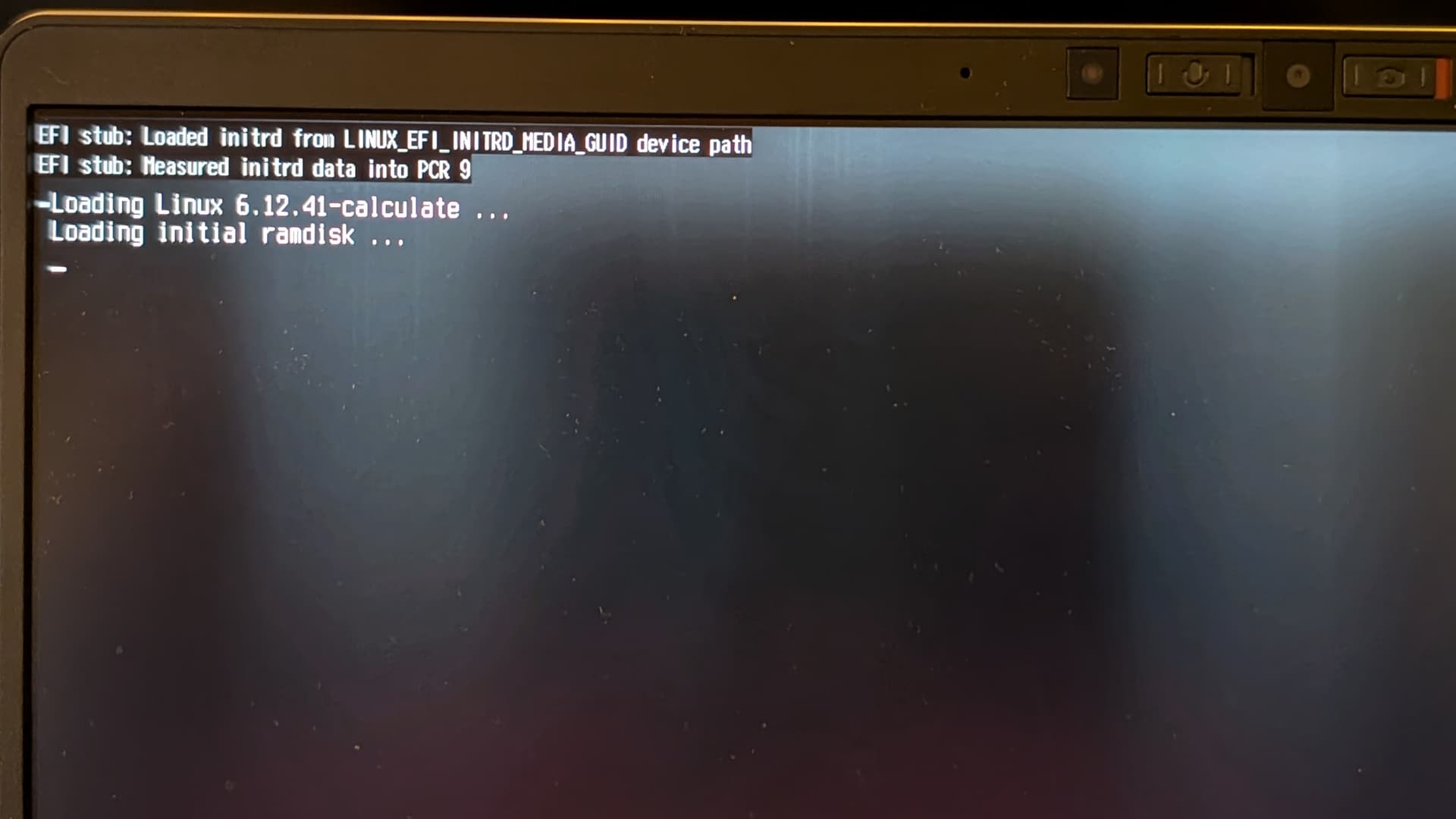
Some kernels (6.12.41) are simply stucked on lline “Loading initial ramdisk …” , some will stuck with caps led flashing.
Any advices how to fix that please?
EDIT: so far I’ve tried several kernel options nomodeset and amdgpu.gpu_recovery=1 with no luck. I’ve read somewhere that Framework needs attention when it comes to AMD microcode.
This is how it looks on startup when the following additional options are used:
calculate=video:amdgpu splash quiet amdgpu.sg_display=0 amdgpu.gpu_recovery=1 nomodeset
I have new findings. I managed to install a fresh CLD to the same computer (with DRAM modules swapped 64G → 32G). I’ve taken the files in /boot from the fresh install and copy them into the disk with previous installation that doesnt boot new kernels (6.12.41), and try to run it. It worked until the point where it checks the disk UUID and then end up with errors. But that was expected behavior. The point is, on “old” CLD, I’m not able to update the kernel and run it properly, which is very bad.
Question remain - what to do in order to properly update and run new kernels?
Hey there! So, I have a few new findings, so I’m posting them here.
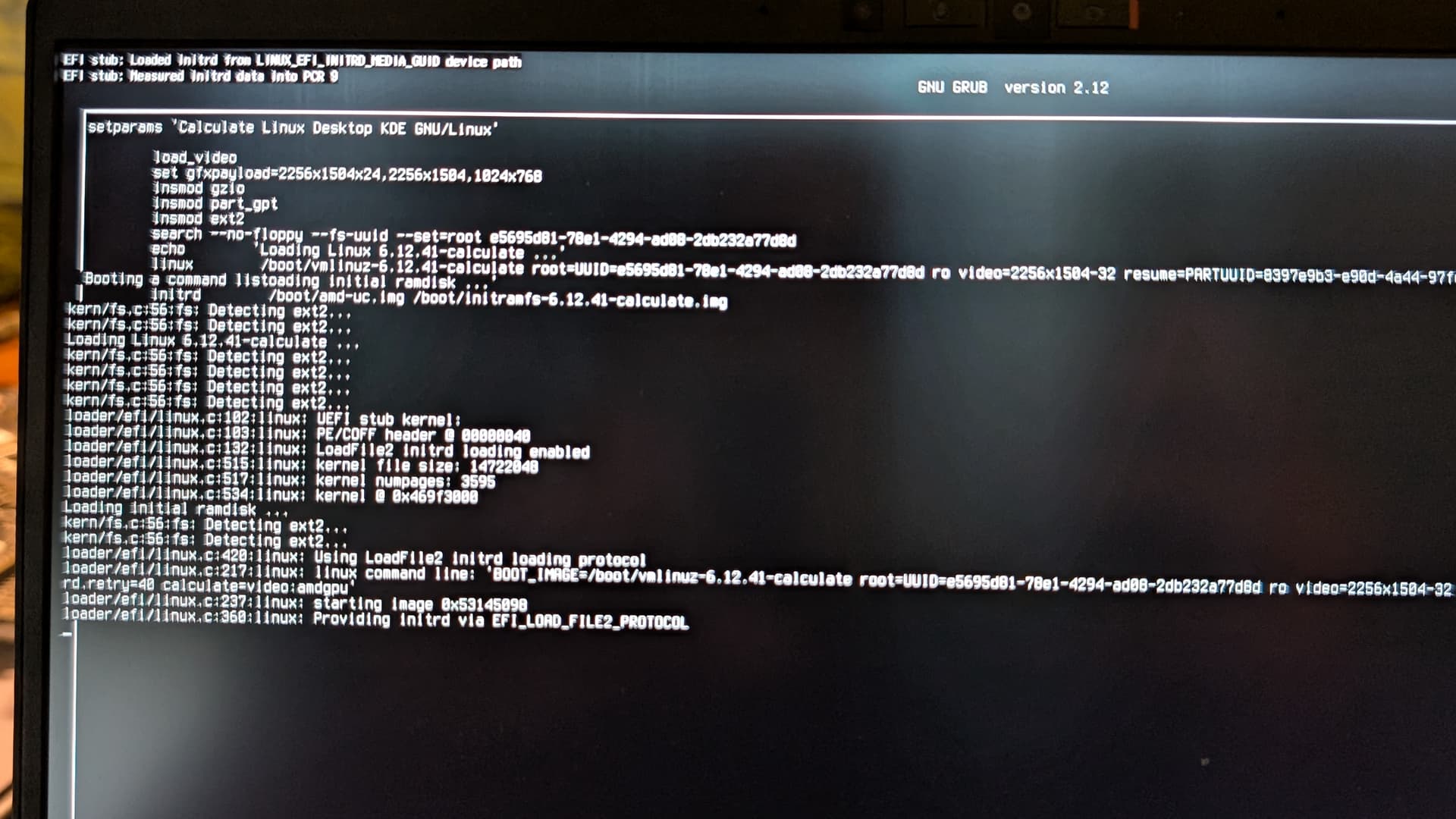
I’ve enabled the grub debug in the grub cmdline by using set debug=linux,video,fs and booted the new kernel 6.12.41
This is the screen log:
I’ve updated everything, re-emerged calculate-sources which are using following USE flags 6.12.41(6.12.41)^bs(09:28:38 PM 09/25/2025)(desktop firmware grub symlink themes vmlinuz -build -minimal)
The boot process would just get stuck at the place you see in the screenshot.
Help would be much appreciated!
I wasn’t able to solve the issue, and decided to re-install the machine, so I’m closing this issue.